
Book Formatting Software Compared: Which Tool Fits Which Book (2026)
Compare 10 book formatting software tools by price, platform, EPUB and print PDF export, footnotes, equations, and indexing for trade and academic books.
Short answer: choose book formatting software based on your book's structure:
- Fiction and narrative nonfiction: Vellum (Mac), Atticus (cross-platform), Reedsy Studio (free web app), or Draft2Digital (free conversion for books without footnotes) handle standard EPUB and print PDF exports.
- Academic monographs, textbooks, and equation-heavy books: LaTeX (locally or via Overleaf) and desktop Microsoft Word document native support for equations, footnotes, automatic bibliographies, and indexing, while Scrivener handles multi-chapter drafting and DOCX/RTF compilation alongside a reference manager.
- Visually complex and illustrated books: Adobe InDesign and the current free Affinity (Layout Studio) provide page-level layout, tables, indexing, and print PDFs with bleed and crop marks.
- Amazon Kindle / KDP only: Kindle Create is a free Windows/Mac tool for KPF/EPUB packaging and PDF-to-Print Replica conversion.
Start With the Type of Book You Are Writing
Every book formatting tool assumes a specific manuscript profile. Before comparing prices or export formats, match your book to one of four categories:
1. Fiction and general trade nonfiction
Novels, memoirs, and trade nonfiction rely on flowing chapters, scene breaks, and standard front or back matter. Their primary technical need is a clean reflowable EPUB for digital stores and a print-ready PDF sized to trim dimensions. Template-driven formatters fit well here because they apply consistent headings, running headers, and drop caps automatically.
2. Academic monographs, textbooks, and equation-heavy books
Scholarly books and textbooks require bottom-of-page footnotes or chapter endnotes, an automatically formatted bibliography, editable tables, mathematical equations in LaTeX or MathML, cross-references, and a compiled back-of-book subject index. Many consumer formatters restrict note length, advise importing equations and tables as images, or leave automatic bibliographies and indexes unconfirmed in official documentation.
3. Illustrated and layout-intensive books
Art books, workbooks, and multi-column reference titles depend on exact placement of text frames, captions, tables, and high-resolution images. Custom spreads, bleed and crop marks, and fixed-layout EPUB output require desktop page-layout software.
4. KDP-only digital and print-replica books
When you only need to package a finished DOCX for Amazon KDP or convert an existing textbook PDF into a fixed-layout Kindle Print Replica eBook, Amazon's free packaging tool covers that step without replacing a commercial PDF typesetter.
Book Formatting Software Comparison Table
All facts below come from official documentation verified on 2026-10-28. Prices were verified in 2026-10 on English/US official pages (excluding tax unless noted) and are subject to each official website. Where a page displays only $ without a currency code, $ is preserved. "Unconfirmed" means official English documentation was not found during verification—not that the software lacks the feature.
| Software | Price (verified 2026-10, check official site) | Platform | EPUB | Print PDF | Footnotes / Bibliography | Equations | Best For |
|---|---|---|---|---|---|---|---|
| Vellum | Ebooks $199.99; Press $249.99; one-time; currency code unconfirmed | Mac | Supported | Press: PDF/X-1a:2003 | Footnotes/endnotes supported; auto bibliography unconfirmed | Unconfirmed | Mac users, general prose, self-publishing |
| Atticus | US$147, one-time | Web/PWA; Win/Mac/Linux/Chromebook | Supported | Supported; PDF/X unconfirmed | Print footnotes, ebook endnotes; manual bibliography | No complex equations; use images | Cross-platform fiction & regular nonfiction |
| Reedsy Studio | Core formatting free; paid add-ons | Web | EPUB 3 | PDF/X-1a:2001 | Print footnotes, ebook chapter endnotes; auto bibliography unconfirmed | Unconfirmed | Free browser formatting for general prose |
| Kindle Create | Free | Mac/Win | Reflowable books only | Exports KPF/EPUB only; not a PDF exporter | Imported footnotes uneditable; auto bibliography unconfirmed | Converts PDFs with equations; native editor unconfirmed | KDP prep & Print Replica from textbook PDFs |
| Microsoft Word | Web free; 365 Personal US$99.99/yr or US$9.99/mo; Home 2024 US$179.99 one-time (non-commercial) | Mac/Win/Web | Native export unconfirmed | Exports print PDF; PDF/X unconfirmed | Desktop supports footnotes, citations & bibliography | Desktop supports UnicodeMath / LaTeX | Academic drafting, DOCX collaboration, templates |
| LaTeX + Overleaf | Local free; Overleaf Free US$0; Standard US$25/mo or US$199/yr; Pro US$45/mo or US$399/yr | Local Mac/Win/Linux; Overleaf Web | Via tex4ebook conversion | PDF; pdfx configures PDF/X | Supports footnotes, auto bibliography & index | Supports complex formulas | Equation-heavy, cross-referenced monographs |
| Adobe InDesign | US$22.99/mo, annual plan billed monthly | Mac/Win | Reflowable & Fixed Layout | Supports PDF/X | Footnotes/endnotes supported; auto bibliography unconfirmed | Supports MathML (SVG); some glyph limits | Professional layout, complex books, print delivery |
| Affinity Publisher 2 (Legacy) | Current new-purchase price unconfirmed; existing V2 usable, no updates | Mac/Win/iPad | Legacy English docs unconfirmed | Legacy English docs unconfirmed | Legacy English docs unconfirmed | Legacy English docs unconfirmed | Existing V2 users (separate from new Affinity) |
| Current Affinity / Layout Studio | Free for individuals; AI requires paid Canva plan | Mac/Win; iPad coming soon | Reflowable & Fixed Layout | PDF with bleed/crop marks | Endnotes supported; English footnote docs unreadable; auto bibliography unconfirmed | Unconfirmed | Free desktop layout for illustrated & professional books |
| Scrivener | $59.99/platform, perpetual per-version license; currency code unconfirmed | Mac/Win, separate iOS | Supported via Compile | Compile PDF; Mac confirms PDF/X-1a | Footnotes/endnotes; pair RTF with reference manager | Win MathML; Mac MathType (macOS 10.13–14) | Long-book organization, drafting & intermediate output |
| Draft2Digital | Formatting free; distribution fees separate | Web | Supported | Print-ready PDF supported | Automated conversion strips footnotes; auto bibliography unconfirmed | Unconfirmed | Free automated conversion without footnotes |
Tool-by-Tool Breakdown
1. Vellum
Vellum targets Mac authors formatting fiction, narrative nonfiction, and text-driven books with footnotes or endnotes. Sold as a one-time purchase ($199.99 for Vellum Ebooks; $249.99 for Vellum Press, excluding tax; currency code unconfirmed), it exports EPUB, optional MOBI, DOCX, RTF, and—in Press—PDF/X-1a:2003. Since Vellum 3.7, it supports bottom-of-page print footnotes, popup ebook footnotes on supported platforms, and chapter-end or book-end endnotes. It requires macOS 13 or newer, and official docs do not confirm native equations, editable tables, automatic bibliographies, or automated indexing.
2. Atticus
Atticus serves self-publishing authors wanting a cross-platform, one-time US$147 Progressive Web App (PWA) for Windows, Mac, Linux, and Chromebook. It exports EPUB, print PDF, and DOCX, supporting print footnotes and print/EPUB endnotes. However, official help pages state that Atticus may not fit manuscripts with extensive notes, multi-paragraph notes, or notes exceeding 1,000 characters. Official docs also note the lack of automated citation, bibliography, and index generators (requiring manual hanging indents) and advise importing complex equations, tables, and charts as images.
3. Reedsy Studio (formerly Reedsy Book Editor)
Reedsy Studio suits authors seeking a free browser-based writing and formatting tool that also works on mobile browsers. Its core tier is free (with optional paid add-ons) and exports EPUB 3 and print-on-demand PDF/X-1a:2001 using three templates, placing notes at the book's end or as print footnotes and ebook chapter-end notes. However, the official FAQ notes that offline access is unsupported, and its layout guide recommends hiring a professional designer for tables, graphics, or complex layouts. DOCX export, equations, automatic bibliographies, and indexing are unconfirmed in official docs.
4. Kindle Create
Kindle Create is Amazon's free Windows and Mac utility for preparing KDP manuscripts and converting existing textbook PDFs into fixed-layout Print Replica eBooks. It exports KPF and EPUB (EPUB is restricted to reflowable books) and converts PDFs containing charts, graphs, and equations. However, its official export formats do not include standalone print PDF or DOCX, and Print Replica eBooks do not allow text resizing. Official docs also state that tables, lists, and footnotes imported from DOCX cannot be edited in Kindle Create.
5. Microsoft Word (including book templates)
Desktop Microsoft Word fits academic authors who collaborate in DOCX and need built-in footnotes, endnotes, citation styles, bibliographies, UnicodeMath or LaTeX equations, tables, and index tools. On the US store, Word for the web is free, while Windows/Mac desktop apps cost US$99.99/year or US$9.99/month (Microsoft 365 Personal) or US$179.99 one-time for 1 PC/Mac in Office Home 2024 (non-commercial use only). Authors can use KDP's Word paperback and hardcover templates and save print PDFs ("Best for printing"). Native EPUB and PDF/X export are unconfirmed in official docs, and Book Fold booklets may need manual image or table adjustments.
6. LaTeX (memoir / KOMA-Script) and Overleaf
LaTeX is the strongest option verified here for academic monographs with complex formulas, cross-references, tables, figures, automatic bibliographies, and indexes. Local distributions (MacTeX, TeX Live, MiKTeX) and book classes (memoir, KOMA-Script scrbook) are free on Linux, Mac, and Windows, while Overleaf offers web editing (Free US$0/month; Standard US$25/month or US$199/year; Pro US$45/month or US$399/year; Student US$13/month or US$98/year). LaTeX outputs PDF, configures PDF/X via pdfx, and converts to EPUB/EPUB 3 via tex4ebook. Trade-offs include markup syntax, \footnote limits inside tabular, and Overleaf Free's compile timeout and 1-collaborator cap.
7. Adobe InDesign
Adobe InDesign serves professional book designers and complex illustrated or academic books on Windows and macOS at US$22.99/month (annual plan, billed monthly). It exports Reflowable and Fixed-Layout EPUBs plus print PDF/X with marks, bleeds, color management, and font embedding, alongside HTML, IDML, PNG, JPEG, and XML. Official docs confirm footnotes, automatic endnotes, table headers and captions, compiled index markers, and native MathML equations placed as scalable SVG files. Documented caveats include non-continuous footnote numbering across book documents, no footnotes inside tables, missing glyphs or bold/italic limits in some math expressions, and unconfirmed automatic bibliography management.
8. Affinity Publisher 2 and Current Affinity by Canva
Affinity must be separated by generation: legacy Affinity Publisher 2 (Windows, macOS, iPadOS) remains usable for existing V2 owners but receives no updates, lists no current new-purchase price, and returned blank legacy English help pages during verification. Current unified Affinity (Layout Studio) is free for individuals on Mac and Windows (iPad is "Coming soon!", and AI features require a paid Canva plan) and exports PDF with bleed/crop marks plus Reflowable and Fixed-Layout EPUB. Official English docs confirm its Table Tool, whole-book endnotes via the Books panel, and automatic index updates before output. However, it does not export INDD/IDML, new .af files do not open in V1/V2, English footnote docs were unreadable, and equations and automatic bibliographies are unconfirmed.
9. Scrivener (Compile workflow)
Scrivener is built for organizing research, drafting multi-chapter books, and compiling files on macOS and Windows ($59.99/platform, perpetual per-platform and per-version license; currency code unconfirmed, with a separate iOS app). Compile outputs PDF (including PDF/X-1a on Mac Paperback presets; Windows PDF/X unconfirmed), DOCX, RTF, ODT, TXT, HTML, and EPUB, supporting footnotes, endnotes, and tables. The Windows manual documents a MathML editor, and the Mac manual notes MathType integration for macOS 10.13–14. Official docs recommend pairing RTF output with standalone reference managers for bibliographies, and back-of-book indexing is unconfirmed.
10. Draft2Digital Free Formatting Tool
Draft2Digital offers a free browser-based conversion tool across operating systems that outputs EPUB, MOBI, and print-ready PDF, even without D2D distribution. It suits general prose books needing quick, zero-cost conversion. However, Draft2Digital's official Knowledge Base warns that automated conversion strips out embedded fonts, extra line breaks, empty pages, and footnotes. It is therefore unsuitable for academic books requiring footnotes, and official docs do not confirm equations, tables, automatic bibliographies, or indexing (distribution carries separate activation, maintenance, or sales fees).
Special Requirements for Academic Books and Textbooks
Scholarly monographs and textbooks depend on five technical capabilities in official documentation:
- Footnotes and endnotes: Vellum (3.7+) and Reedsy Studio support print footnotes and ebook popups or chapter-end notes. Desktop Word, LaTeX, InDesign, and Scrivener support both, though standard LaTeX
\footnoteand InDesign footnotes do not work inside tables, and InDesign footnotes do not auto-continue across separate book files. Atticus cautions against extensive, multi-paragraph, or 1,000+ character notes; Kindle Create cannot edit imported footnotes; and Draft2Digital strips footnotes entirely. - Bibliographies: Only LaTeX and desktop Word confirm built-in automatic bibliography generation. Scrivener pairs RTF output with standalone reference managers, Atticus requires manual hanging indents, and automatic bibliography databases are unconfirmed for the others.
- Equations: LaTeX handles complex formulas natively, desktop Word supports UnicodeMath and LaTeX, and InDesign supports MathML as scalable SVG (with missing glyph and bold/italic limits). Scrivener documents Windows MathML and Mac MathType (macOS 10.13–14), while Atticus requires equation images.
- Cross-references, tables, and indexing: LaTeX, desktop Word, InDesign, and current Affinity confirm editable tables and compiled back-of-book indexes. Atticus requires manual indexing and image tables, while Reedsy Studio recommends hiring a professional for tables or complex layouts.
Before Formatting: Preparing the Manuscript Itself
Formatting software only lays out the manuscript you give it. If chapter structure is uneven, citations do not match source papers, terminology drifts, or figure and equation numbers break during revision, your layout tool will carry those errors into print or EPUB.
SciVolume is an AI book-writing workspace for serious nonfiction (academic monographs, textbooks, handbooks, popular science, dissertation-to-book revisions, and translations). It is a writing workspace rather than a desktop page-layout program, handling manuscript content, citations, terminology, and numbering while also exporting EPUB 3 ebooks, PDF (via print layout), Word (.docx), and LaTeX packages on paid plans. Its EPUB 3 export is suitable for direct ebook distribution (such as Apple Books or uploading to Kindle/KDP), whereas complex print typesetting (such as custom spreads, bleed/crop marks, or PDF/X press delivery) is still best handed off to a dedicated formatting tool above or to your publisher:
- Outline, import, and drafting: Use the book outline generator to create a chapter-by-chapter outline from your title and uploaded PDFs, lecture notes, BibTeX/RIS, Word, or Markdown files, or import an existing manuscript at
/books/new?mode=importin Word (.docx), LaTeX (.texor.zip), Markdown (.md), PDF (including scanned PDFs), or DRM-free EPUB (EPUB 2/3) (paid plan required; PDF headers/footers, footnotes, images, and complex equations may need cleanup after import, and PDF/EPUB images need to be added back in the editor). - Real citations and audit: Cites only real works from scholarly indexes or your uploads, and audits every reference against its source ("supported", "not mentioned in source", or "contradicted").
- Terminology, numbering, and translation: Enforces a book-wide glossary, auto-updates figure, table, and equation numbers, and creates paragraph-aligned translated editions across 6 languages via the AI book translator.
- Word, LaTeX, EPUB 3, and PDF export: Switch citation styles (APA, Chicago, MLA, Harvard, IEEE, Nature, GB/T 7714) and export on a paid plan: EPUB 3 (with figures and equations packaged with the book and inline citations linked to the back-of-book bibliography, ready for Apple Books or Kindle/KDP), PDF (exported via print layout), or Word (
.docx) and LaTeX packages to pass to a professional formatting tool or publisher for complex print layout. You can read the sample book online without logging in.
Frequently Asked Questions
What is the best free book formatting software?
For general prose books in a browser, Reedsy Studio exports free EPUB 3 and PDF/X-1a:2001, and Draft2Digital offers free EPUB, MOBI, and print PDF conversion (though it strips footnotes). For academic books with formulas and indexes, local LaTeX is free (and Overleaf has a US$0/month Free plan with compile and collaborator limits). For free desktop layout on Mac and Windows, current Affinity (Layout Studio) exports PDF with bleed/crop marks and EPUB. For Amazon KDP packaging, Kindle Create is free.
Can I format a book in Microsoft Word?
Yes. Desktop Microsoft Word supports footnotes, endnotes, citations, bibliographies, UnicodeMath/LaTeX equations, tables, and indexes, pairs with KDP Word templates, and exports print PDFs. However, native EPUB and PDF/X export are unconfirmed in official docs, and booklet objects may need manual adjustment.
How does LaTeX compare with Vellum for academic books?
Vellum ($199.99 Ebooks; $249.99 Press on Mac) excels at prose books with footnotes or endnotes, exporting EPUB and PDF/X-1a:2003, but equations, tables, automatic bibliographies, and indexing are unconfirmed in official docs. LaTeX (memoir, scrbook) natively supports complex equations, cross-references, tables, automatic bibliographies, and indexes, making it far stronger for technical monographs despite requiring markup and tex4ebook or pdfx setup.
Does Adobe InDesign support mathematical equations natively?
Yes. Current official InDesign documentation confirms native MathML support, placing equations as scalable SVG files, with documented limits on missing glyphs and bold/italic styling.
How do legacy Affinity Publisher 2 and current Affinity by Canva differ?
Legacy Affinity Publisher 2 (Win/Mac/iPad) remains usable for existing V2 owners but receives no updates and lists no current new-purchase price. Current Affinity (Layout Studio) is free for individuals on Mac and Windows, exports EPUB and print PDF with bleed/crop marks, and uses .af files that cannot open in V1 or V2.
Official Sources
All facts and prices were verified on 2026-10-28 from these official URLs:
- Vellum: Homepage, Purchasing FAQ, Specs, Vellum 3.7 Footnotes, Endnotes, Help.
- Atticus: Homepage, Checkout, Preview PDF, Footnotes/Endnotes, Notes FAQ, Citations/Bibliographies, Math/Equations, Indexing, Tables/Charts.
- Reedsy Studio: Homepage, Pricing, Format a Book, Formatting Options, Studio FAQ, Book Layout.
- Kindle Create: KDP Publish, Getting Started, Reflowable/Print, Content Paths, Print Replica.
- Microsoft Word: Microsoft 365 Pricing, Office Home 2024, Word for the Web, DOCX/ODT, Export PDF, Footnotes/Endnotes, Bibliography, Equations, Index, Insert Table, Resize Table, KDP Templates, Booklet/Book Fold.
- LaTeX & Overleaf: Get LaTeX, About LaTeX, Overleaf, Overleaf Pricing, Download Project, Footnotes, CTAN pdfx, CTAN tex4ebook, CTAN memoir, CTAN KOMA-Script, CTAN scrbook.
- Adobe InDesign: Plans, Tech Specs, EPUB Export, PDF Options, MathML, Stylize Math, Footnotes, Endnotes, Indexing, Tables.
- Affinity: Affinity V2, V2 Licence, V2 Help, Affinity Studio, Page Layout, Help Center, Export, EPUB Panel, Books Panel, Table Panel, Notes Panel EN, Notes Panel ZH.
- Scrivener: Overview, Crossgrading, Licensing, Compile Basics, Mac Release Notes, Footnotes, Reference Managers, Tables/Lists, Custom Compile, Windows Manual PDF, Mac Manual PDF.
- Draft2Digital: Knowledge Base, Steps to Publish, Automated Print Layout.
Author

Categories
More Posts
How SciVolume Writes a Book With Real Citations and Figures
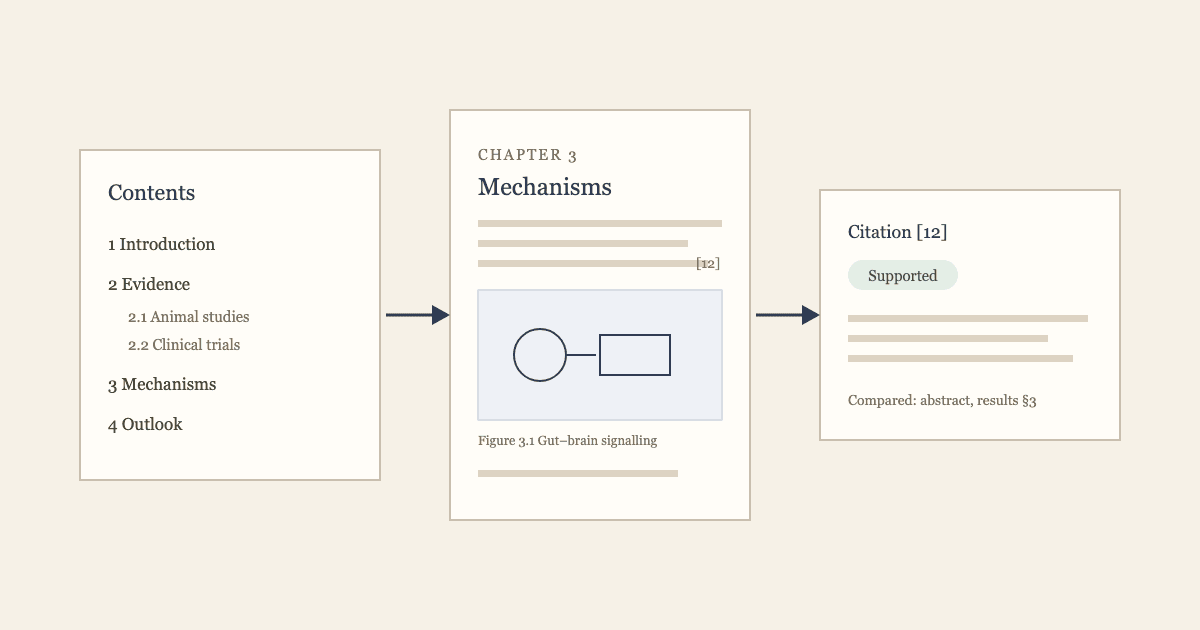
From a topic to a manuscript you can hand in: how SciVolume plans the outline, cites only approved sources, checks every citation and adds scientific figures through the SciDraw AI API.
How to Turn Your Dissertation Into a Book
A dissertation proves you can do research; a book has to be read. See what changes between the two, a before-and-after outline example, a seven-step revision plan, and how to revise in SciVolume.
Newsletter
Join the community
Subscribe to our newsletter for the latest news and updates